
The DIP enables communication between Market Participants via a series of message channels (IFs/PUBs). Each message channel uses a standard RESTful architecture for both the inbound Interface and the outgoing publication: a Send Message API for incoming messages and a Receive Messages webhook for outgoing messages.
Links to all onboarding steps
- Step 1: Accessing DIP and verifying company details
- Step 2: Managing your company’s users within DIP
- Step 3: Managing your GlobalSign account as part of DIP
- Step 4: Managing DIP certificates
- Step 5: Domain verification
- Step 6: Creating a Signing/mTLS certificate
- Step 7: Managing your DIP / DCP IDs
- Step 8: Managing your DIP Message Channels
Message channel process
Each message channel has both synchronous and asynchronous methods for reporting status/error messages back to the Sender along the various validation points in is journey (Level 1,2,3 etc in the diagram below). Each message channel is identified with a corresponding IF/PUB number.
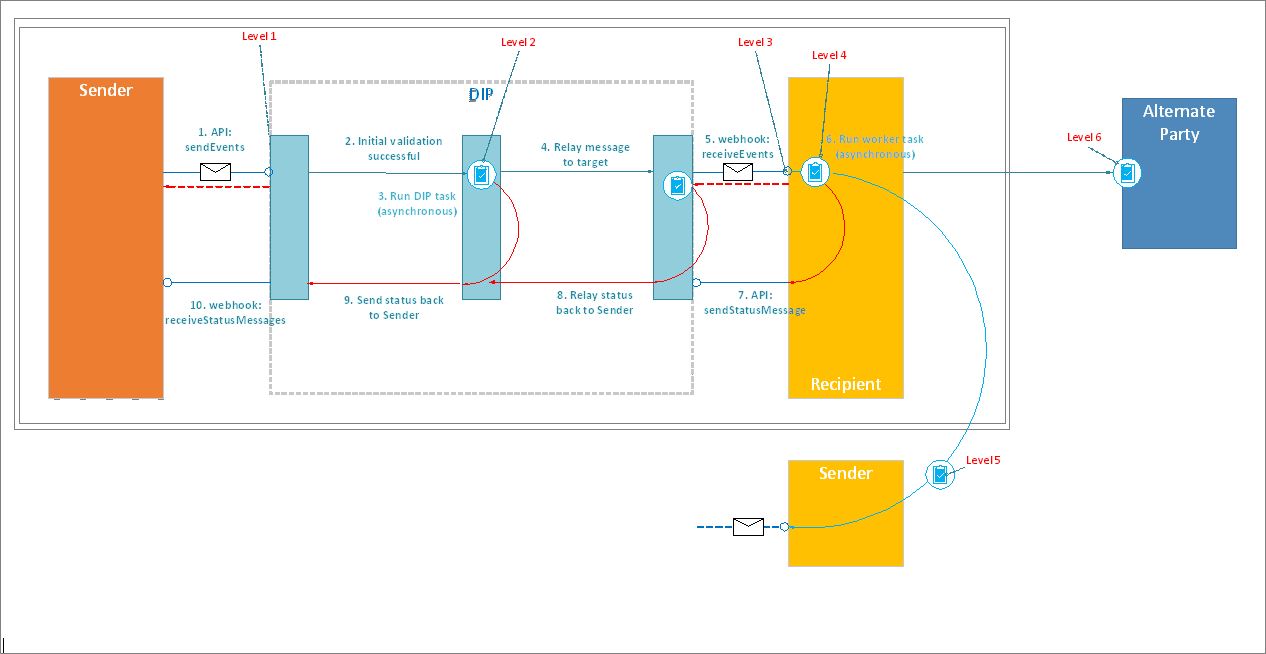
Example message channel set-up
Each DIP id has a specific role. In this example this is the Supplier role for this DIP id. There are a number of interfaces that you will need to be configured to receive the message flows for Suppliers.
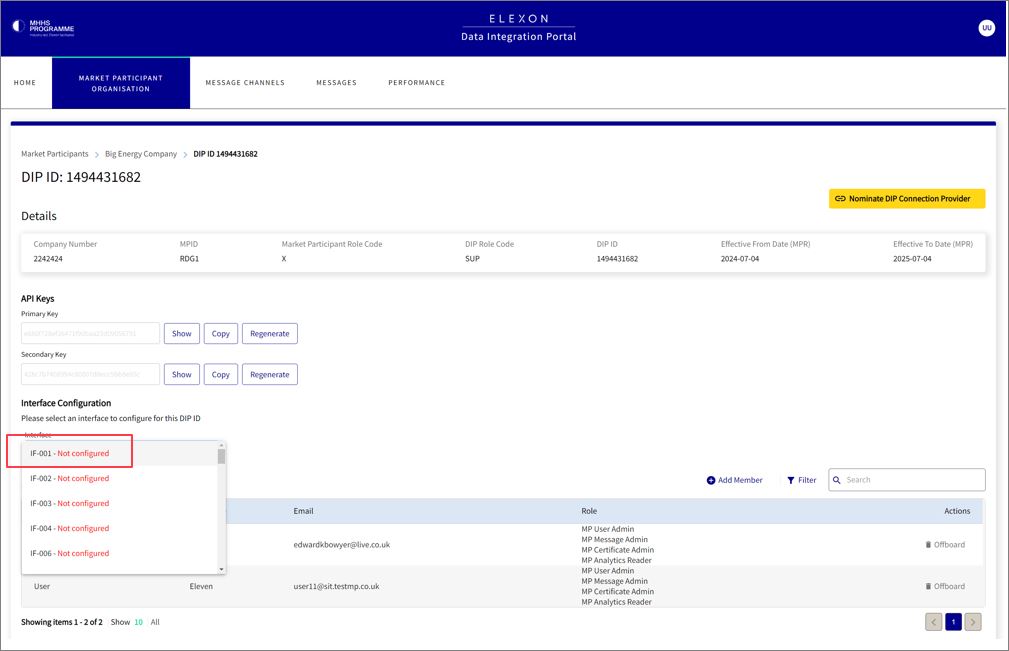
You will need to configure each of the message channels for the specific role.
Each message channel needs to be configured with the address URL of the webhook on which you want to receive the messages for this publication. You do not need to specify a maximum message count or maximum payload size per kb. This information is not used.
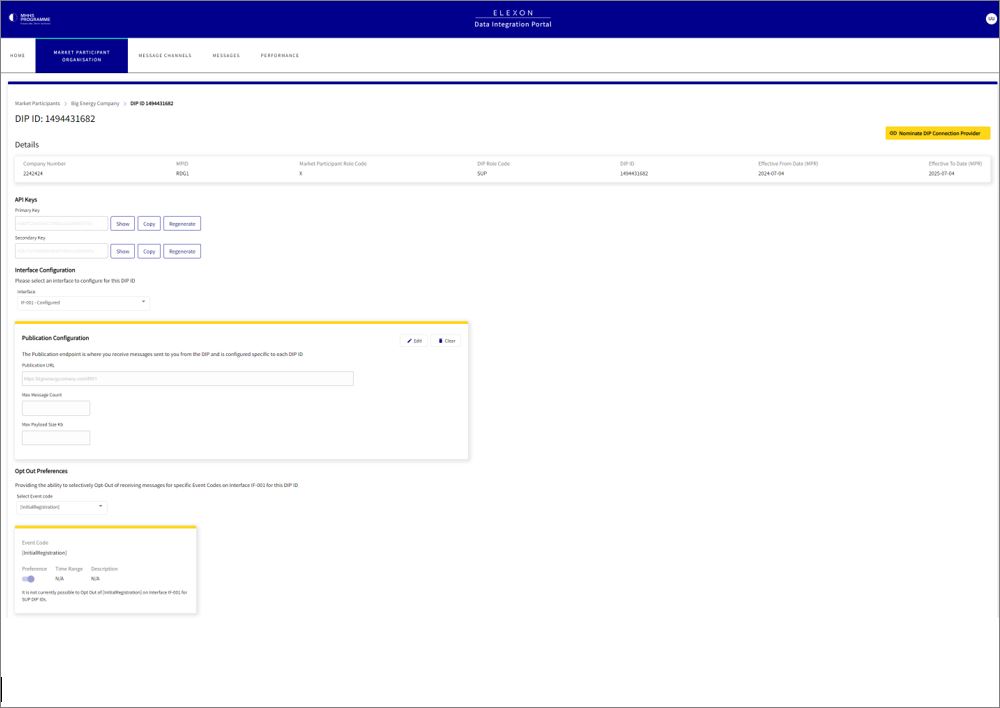
How to generate webhooks
To generate webhooks the DIP Manager team recommends using the APIs which can be found in swaggerhub.